

A game’s official age rating describes the product submitted for rating. It may not describe every map, costume, script, conversation or custom server made by other users. In games with creation tools and open communities, the experience can change each time a child joins.
That does not make user-created play automatically unsafe. It means the family should review the doorway, the download source and the community—not only the box art.
Separate the base game from the layer on top
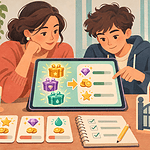
Ask the child to show you whether they want an official expansion, an in-game user level, a “mod” that changes files, or a privately run server. These routes carry different risks. A level shared inside a moderated console store is not the same as an executable file downloaded from a stranger’s link. A server run by a school friend’s family is not the same as a public server with hundreds of unknown players.
ESRB’s interactive elements can flag features such as Users Interact or Unrestricted Internet. Those notices do not review every user creation. PlayStation’s family controls, for example, can restrict communication and content created by other players, but individual games and third-party services may still have separate settings.
Use a five-part preview
- Source: Is the level, mod or server reached through the game’s official tools or a known publisher community? Avoid shortened links, executable downloads and instructions to disable security software.
- Content: Preview the description, screenshots and one short session. Look for graphic material, sexual content, hateful symbols, gambling-like systems or frightening surprises.
- People: Check who runs the server, who can join, whether chat is open and how moderators are contacted.
- Rules: Read the server or community code. Confirm rules about language, trading, griefing, recording and adult-child contact.
- Exit: Practise leaving, blocking and reporting before the child invests time or possessions.
Be cautious with files and permissions
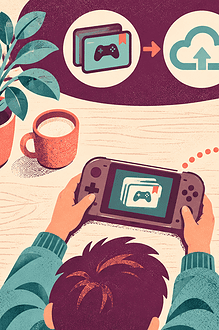
A mod may ask for access beyond ordinary gameplay. Do not let a child install files from private messages, “free currency” pages or videos that require unknown launchers. Keep the operating system and security software current. Use a non-administrator child profile where practical, back up saves and create a restore point before changing a PC game.
If the instructions ask for an adult password, stop and read why. A caregiver should enter credentials only in the device’s trusted system prompt—not send them to the child or type them into an unfamiliar installer.
Check the social environment
Custom communities may include voice chat, direct messages, trading and invitations to move to another platform. Begin with known contacts and the smallest communication setting that supports play. EdCaptain’s multiplayer gaming and voice-chat agreement covers contacts, gifts, privacy and reporting. The online help-seeking agreement gives a child clear steps when someone asks for secrecy, images, money or another app.
Give the child a no-blame exit
Say in advance: “If something strange appears, you can leave immediately. You will not lose all gaming because you told me.” Children often stay in an uncomfortable server because friends are present or they fear an adult will ban the entire game. Make reporting the success, not proof that the child chose badly.
For younger players, join the first sessions and use closed, caregiver-managed groups. Older children can help research moderation records, version compatibility and community rules. Teenagers still need a firm boundary against sharing account credentials, installing unknown executables or meeting players offline without adult safeguards.
Recheck when the community changes
Moderators leave, servers merge, mods update and user content spreads. Revisit the setup if a server changes ownership, a download requests new permissions or the child’s play shifts from building with friends to trading with strangers. Remove a mod cleanly if it causes crashes or suspicious behavior; do not keep troubleshooting with more unverified downloads.
User-created play can be inventive and social. A careful source, clear community rules and an easy exit make room for that creativity without pretending the rated base game covers everything around it.