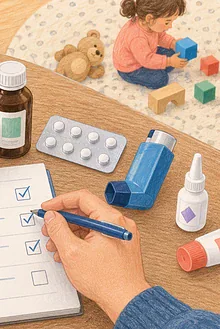


A family document folder is not an archive of everything you own. It is a small set of current information that helps during an appointment, unplanned stay, evacuation or handover. The safer design balances availability with privacy: carry what may be needed, secure sensitive copies and leave unnecessary originals protected elsewhere.
Choose the purpose first
Write three situations the folder should support, such as “urgent health visit,” “temporary evacuation” and “child staying with an authorised caregiver.” This prevents expansion into bank statements, old reports and expired forms that obscure useful pages.
Create a one-page index
List each family member, the page or envelope containing their information and last review date. Include guardian and emergency contacts, preferred language or communication method, health professional and pharmacy contacts, allergies, relevant conditions and the location of formal care plans. Keep the full medication list on its own dated page.
Depending on local requirements, copies may include identification, proof of guardianship or consent, insurance information, immigration or travel documents, vaccination records, disability or equipment information and current photos for reunification. Do not assume a photocopy has legal force; check the agency that may need it.
Separate carry from secure
- Carry copy: minimum contacts, health summary and likely requested documents.
- Secure home copy: broader records in a protected location.
- Encrypted digital copy: password-protected, with tested access not dependent on one lost phone.
Do not place passwords, full payment-card details or every credential in the portable folder. Use sealed inner envelopes for sensitive copies and tell the trusted adult when they may be opened. If a child carries a card, give only information needed to reunite safely.
Make it readable under pressure
Use large headings, plain language and one subject per page. Write medicine names and strengths exactly from current labels. Date every list. Put original clinician-issued action plans behind the health summary rather than rewriting them. Include a pen and blank log for times, calls and instructions.
Review on predictable dates
Check at the start of each school term and after a move, medicine change, new diagnosis, family change or document renewal. Remove obsolete copies immediately. Test the digital copy from the backup method. Confirm named contacts still agree.
Share selectively
A school, sitter, relative and responder do not all need the same packet. Give each the minimum relevant section. Explain to older children what it contains and why it is private. In two-home families, agree how both homes receive current information without asking the child to carry disputed documents.
Keep pocket details on a communication card. Store the folder alongside the emergency supplies. When arrangements change, use this guidance on sharing information with school and health teams.
A five-minute final check
Can another trusted adult find it? Are lists dated? Can you read pages in low light? Does the packet avoid unnecessary secrets? Can the digital copy open without the main device? If yes, the folder is doing its job.
Do not post photographs of the folder or leave it in a visible vehicle. Record who holds copies and recover them when a role ends. If a device containing the digital folder is lost, follow your account-security plan and change exposed credentials promptly.
Sources and further reading
Decide what does not belong
Bulky schoolwork, full medical histories, expired passports, original certificates that are rarely needed and sentimental papers can make the folder harder to carry and riskier to lose. Keep an index pointing to secure originals instead. If a professional report is relevant, include a one-page current summary and the contact for the full record. The folder should answer immediate questions; it does not need to prove every event in family life. Review size as well as accuracy.