
By EdCaptain editorial desk · Published
The trailer shows the world your child wants to explore. The store page also says “Early Access”, and the feature they are most excited about is listed under future plans. Before paying, ask one question: would the version available today be worth choosing if that feature never arrived?
That is a more useful decision than trying to predict which development team will succeed. An unfinished game can already offer worthwhile play, but it can also be a poor fit for a family that needs reliable access, a complete story or stable long-term progress. This guide is for caregivers assessing that purchase; it does not recommend a particular game or age range.
First, establish what the label means here
Steam’s Early Access explanation describes buying a playable game while it is still developing. It is different from a pre-purchase with no playable product yet. Steam advises considering the game’s current state and warns that some teams will not finish their games.
There is another easily confused label. Steamworks’ developer documentation distinguishes Early Access from Advance Access: a premium pre-purchase package may let someone start shortly before the standard launch. Those are different offers. Read the exact listing rather than assuming “early” always means the same arrangement.
On Xbox, Game Preview identifies work-in-progress titles. Its FAQ explains that content may be missing, bugs may be present and some features may be unavailable. Completion is not guaranteed. None of these development labels is an age recommendation or a replacement for checking content and online features.
Read the page with two columns in mind
Make a brief private note headed “Available now” and “Planned or unclear”. Put each feature the child wants into one column. Do not fill a gap with the most hopeful interpretation.
| What matters to the family | What to establish |
|---|---|
| Playing with a known friend | Is the required multiplayer mode available on these platforms now? |
| Following the story | Which chapters or areas are currently playable? |
| Using captions or a particular control method | Does the current build support the actual task and equipment? |
| Keeping a world or character | What does the developer currently say about resets and save compatibility? |
A trailer might combine current play with future plans. Look for the developer’s explanation of the present version, then compare its date with recent announcements. Steam’s consumer guidance specifically suggests checking recent developer updates. A busy news feed alone does not prove that the feature your family needs has been delivered.
If the answer is unclear, ask one focused question through the official channel: “Does the version currently sold include local two-player play, or is that still planned?” Keep the reply with the date and platform. A reply describing an intention is still different from confirmation that a feature is available.
Identify what you cannot comfortably do without
Choose a few essentials before looking at discounts or supporter bonuses. They might be readable text, a pause function, an offline mode, a suitable input option or the ability to save after a short session. If an essential is only planned, waiting is a practical decision.
For access needs, use our digital-game accessibility check when a suitable, permitted trial is available. Test the current version on the equipment the child would actually use. A promise of future remapping or captions does not make the current barrier disappear.
Do not ask a child to tolerate pain, overwhelming effects or repeated frustration because the game is unfinished. The development process belongs to the developer. Your family can enjoy an early version without taking responsibility for making it succeed.
Ask about progress before a child invests heavily
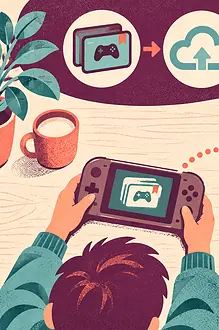
Xbox’s Game Preview FAQ says it cannot guarantee that progress will carry into the final release. That does not mean every game will reset; it means you need information about the particular title.
Steamworks also tells developers to disclose known save-breaking updates. Look for current statements about world wipes, character resets, incompatible saves and the difference between test and regular versions. The absence of a warning is not a personal assurance that nothing will change.
Ask: “Could an update reset this world or make its save unusable? Is there a supported way to preserve it, and what would that copy actually retain?” A screenshot can keep a memory without preserving playable progress. Do not change versions, delete saves or install unofficial tools on the strength of another player’s quick fix.
Explain uncertainty before purchase in plain language: “We can play what is there now, but the game is still changing. We cannot promise that this world will work in every later version.” If keeping one world is the main attraction, that uncertainty may outweigh the current price.
Decide what would make buying worthwhile today
Compare the actual price and current experience with waiting or choosing a more established alternative. Do not treat a roadmap as a list of features already purchased and delivered. Steamworks tells developers not to make specific promises about future events; a planned date or feature can change.
Read the store’s current purchase and refund information before paying. Do not assume that an unfinished game provides an unlimited trial or a refund whenever a future update disappoints. This checklist does not establish refund eligibility.
If a suitable demo or authorised trial exists, check what version it represents and its conditions. Keep ordinary account, spending and communication protections. There is no need to join a public developer chat, post a child’s details or buy extras to justify the original choice.
If you buy, keep the commitment small
Start with a short session and one achievable goal in the current build. Note the version and any important settings so you can recognise what changed later. Review a major update before assuming the same content, controls and saving behaviour remain.
If something fails, our private support-report guide helps turn an observation into clear steps without sharing a child’s account details. Reporting is optional family participation, not a duty that should crowd out play or other commitments.
You can also choose to wait and revisit the listing after a meaningful update. “Not yet” leaves room for interest without buying a future that nobody can guarantee.
Sources and further reading
- Steam: buying and assessing an Early Access game
- Steamworks: development status, future plans and disclosure expectations
- Xbox: Game Preview, unfinished content and progress uncertainty
Read our editorial policy and review methodology.