

The credits begin, a countdown appears and another title starts before anyone has decided what comes next. Autoplay removes a useful pause: the moment when a family notices the time, the child’s mood and whether the evening is actually finished.
Change the setting and the routine. Turning autoplay off helps, but a predictable ending is what makes one film remain one film.
Find both kinds of autoplay
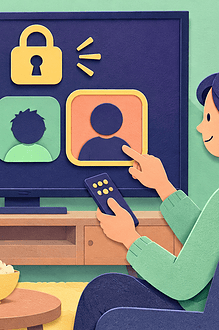
Streaming services may separate preview autoplay from automatic play of the next episode or recommended title. Netflix, for example, documents a profile setting for autoplay previews and separate playback controls. Check every family profile and refresh the device after saving.
Some older televisions and apps do not support every setting. If the preview still starts, mute the television while browsing, use a different device to choose the title, or avoid leaving the home screen open around a young child.
Choose the finish before pressing play
Say, “We are watching this film, then the screen goes off.” If a long film has an intermission point, agree on it. Do not make the boundary dependent on behaviour during the movie; that turns viewing into a reward and makes the ending harder to predict.
For a double feature or special occasion, name both titles in advance. “We’ll see” often becomes negotiation under a bright recommendation screen.
Make the next action easy
- Put water, pyjamas or bedtime materials ready before the film.
- Plan a brief stretch, toilet visit or balcony step after the credits.
- Let the child choose one song, story or quiet activity that follows.
- Keep the remote with the person responsible for ending playback.
- Use a device timer as a reminder, not as a threat.
The American Academy of Pediatrics suggests turning off autoplay and notifications because these features are designed to extend engagement. Its family media guidance also protects screen-free routines and sleep.
Handle the countdown calmly
If autoplay begins anyway, stop it without blaming the child: “The service started another one. We had finished.” A younger child may need the adult to close the app before the new images become interesting. An older child can practise selecting “cancel next” or returning to the profile screen.
Keep discovery separate from viewing
Browse for the next movie at another time and add it to a family list. This reduces decision fatigue at the end of the evening and keeps trailers from exposing children to unexpected content. EdCaptain’s guide to choosing a podcast before autoplay chooses uses the same deliberate-selection principle. The family screen-time reset can help if endings regularly become conflict.
Adapt for different ages
Preschoolers benefit from the same closing phrase and physical routine each time. School-age children can help choose the next-day list without extending tonight. Teenagers can agree on an end time that accounts for film length, school needs and transport, with flexibility for occasional events discussed beforehand.
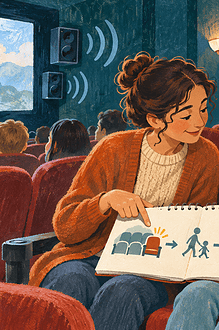
A child with attention or transition difficulties may need a visual “movie, credits, bathroom, bed” sequence and a warning ten minutes before the end. The warning should not interrupt a critical scene; use the film’s remaining-time display before starting.
Review the result, not just the minutes
Ask whether the setting stayed off, whether previews appeared and whether the post-film transition worked. Adjust the profile rather than repeatedly relying on willpower. If movie night continues to displace sleep, meals or movement, change its timing or frequency.
Autoplay is a design choice, not a family obligation. Restoring a deliberate pause gives everyone the chance to decide what happens after the credits.