

- Start with separate profiles
- Protect the routes around the child profile
- Use title blocks for known exceptions
- Run a child-view test
- Explain the controls without making them a challenge
- Keep human review in the system
- Review after updates and family changes
- Check purchases and account recovery too
- Sources and further reading
A child profile can make a streaming home page look safer while the adult profile remains one click away. Shared televisions, saved passwords and new-profile buttons can quietly bypass the settings a parent thought were in place.
Build controls in layers, then test the television from the child’s seat. A menu setting is not protection until the family confirms how it behaves on every regularly used device.
Start with separate profiles
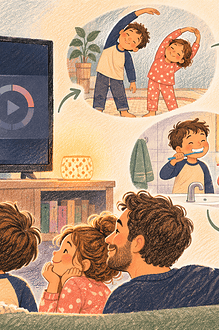
Create a profile for the child rather than sharing the adult watch history. Set its maturity level for the child’s current stage and household rules. Netflix’s help documentation, as one platform example, offers kids profiles, profile maturity limits, blocked titles, profile locks, new-profile PIN requirements, autoplay settings and viewing history.
Other services use different names and rating systems. Read the current help page for each platform rather than assuming settings transfer across accounts.
Protect the routes around the child profile
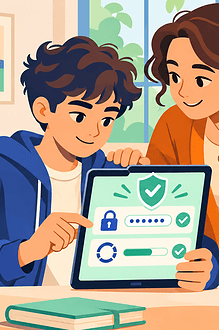
- Lock adult profiles with a PIN the child does not know.
- Require authorization to create a new profile where the service allows it.
- Sign out of guest or borrowed devices after use.
- Remove saved adult credentials from a child’s personal device.
- Check whether downloads keep the same viewing restrictions offline.
- Review profiles added by other household members.
Do not use a meaningful date or a code displayed near the television. Store recovery information in the adult’s password manager, not in a child-accessible note.
Use title blocks for known exceptions
A maturity filter is broad. If a particular film is unsuitable because of a child’s fear, family situation or previous reaction, block that title where the service supports it. Conversely, do not increase the whole profile’s maturity level just to reach one parent-approved film; use the adult profile together for that viewing.
Run a child-view test
- Restart or refresh the device after changing settings.
- Open the child profile without adult shortcuts.
- Search for several titles above the chosen level.
- Try switching profiles and creating a new one.
- Check search suggestions, trailers, thumbnails and downloaded titles.
- Repeat on the phone, tablet, browser and television used by the child.
Record any gap and decide whether the device needs supervision, a separate account or removal from the child’s room.
Explain the controls without making them a challenge
Say, “This profile keeps the choices in the range we agreed. If you cannot find something, ask and we can check it together.” Avoid presenting the PIN as a secret puzzle or accusing the child in advance of trying to break it.
EdCaptain’s shared family-device agreement helps define turns, profiles and privacy. The guide to app age ratings explains why a number still needs content-specific judgment.
Keep human review in the system
The American Academy of Pediatrics recommends family media rules, parental controls, privacy checks and periodic review. Controls cannot predict every frightening theme, stereotype, advertisement or new release. Co-view new kinds of content when possible and keep an easy stop plan.
Review after updates and family changes
Recheck settings after an app redesign, new television, password reset, household move or change in the child’s age. Review viewing history transparently: tell older children what adults can see and why, rather than using it for secret surveillance.
Good streaming controls reduce accidental access and make family decisions easier. They do not replace trust; they make the agreed boundary visible in the interface the child actually uses.
Check purchases and account recovery too
A profile filter does not necessarily block rentals, purchases or account changes. Test whether the child can buy, rent, install another streaming app or reset a PIN through the television, voice assistant or linked email. Require adult approval where the device supports it, remove unnecessary payment methods and protect the recovery email. If several adults manage the account, agree who changes restrictions and how the others are told. Conflicting settings can make a boundary look unreliable to the child.