By EdCaptain editorial desk · Published
The video is finished: a stop-motion adventure, a football montage or a school presentation. Your child has found a song that makes it feel complete. Then comes the question: “Can we use it if we put the singer’s name at the end?”
Credit matters, but it is not the same as permission. Before the soundtrack becomes part of a shared file, help your child find out what use is allowed. This guide is for families with children aged 10–18. Children can plan and edit offline; any online account or sharing must meet the service’s age requirements and your family’s rules.
Start with the destination
Ask where this version will go: a teacher’s assignment portal, a family message, a public channel or a competition. Write down the intended destination before choosing music. If the audience changes later, check the permission again.
For a school task, ask the teacher what music sources and submission arrangements the school permits. Do not assume permission for classroom use also covers a public upload. For a competition, check both the soundtrack requirements and the rights your child would grant by submitting their work.
Untangle three common shortcuts
- “We’ll credit the artist.” Attribution acknowledges a creator; it does not, by itself, give permission to use the recording.
- “It’s only a few seconds.” There is no universal safe number of seconds to rely on.
- “We aren’t making money.” A free or educational video does not automatically qualify for a copyright exception.
YouTube’s copyright-myth guidance addresses these assumptions and also explains that buying a song does not automatically authorize uploading it in a video.
Copyright exceptions do exist and vary by country. In the United States, the Copyright Office explains that fair use depends on the particular circumstances, with several factors considered together. Educational purpose is not a blanket exemption. This checklist cannot decide whether a particular use is lawful. If the project depends on an exception, ask the school’s responsible staff or a suitably qualified local adviser rather than guessing.
Choose music with a permission trail
For an ordinary family project, look for an option whose terms clearly cover the intended video. That could be a track licensed for the planned use, music composed and recorded entirely by your family, or no added music. Making your own recording of somebody else’s song does not settle the rights question.
On YouTube, use the official Audio Library through YouTube Studio, rather than trusting a channel labelled “copyright-free.” YouTube’s Audio Library instructions explain how to check licence types and find tracks requiring attribution. For those Creative Commons tracks, the service provides attribution text to copy into the description. Other Audio Library tracks use its standard licence and may not require attribution.
Do not assume an in-app music choice travels with an exported video to every other service. Read the applicable terms for the new destination. YouTube itself cautions that its guidance does not resolve off-platform music issues.
Read the actual licence, not just “free”
Creative Commons licences have different conditions. Open the licence linked from the actual track’s trustworthy source. Creative Commons’ music-for-video guidance explains that synchronizing music with images counts as an adaptation under its licences. A NoDerivatives licence does not itself permit sharing that adapted video; separate permission or an applicable exception would be needed.
A track offered under CC BY 4.0 can be shared and adapted under its conditions. Those include appropriate credit, a licence link and an indication of changes, without implying endorsement. Retain any supplied notices and check the full terms; the summary also warns that other rights can matter. Do not treat all Creative Commons labels as interchangeable.
If the terms are unclear, choose another track. Your child does not need to contact an unknown uploader privately or pay a stranger to rescue a nearly finished video.
Make a small soundtrack record together
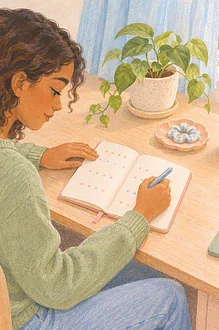
Use a note beside the project file. It can be typed, dictated or completed with adult help:
- Identify it. Save the track title, creator, source-page URL and the date you checked it.
- Save the permission. Keep the licence or written permission, including its version and relevant conditions. A download button alone is not the record.
- Match the use. Note where this video will be shared and whether editing, public posting or commercial use is covered where relevant.
- Prepare the credit. Follow the required wording, links and placement. Record any changes you made to the track.
- Review the final version. Check the actual exported file and its description before sharing.
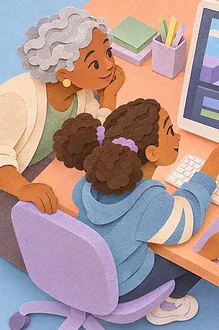
For ages 10–12, let the child identify the music and explain the planned audience while an adult reads the terms and manages any permitted sharing. Teens aged 13–18 can lead the record and show the relevant licence clause, with adult help for uncertainty, payments or disputes. Keep account eligibility separate from editing ability.
If a child finds dense text difficult, read one condition at a time and use two columns: “What we want to do” and “What this allows.” A deaf or hard-of-hearing child can direct the visual edit while a trusted collaborator checks the soundtrack and any unintended background audio. Neither role has to carry every task.
Keep the creative choice open
Try watching the film without music. Original narration, intentionally recorded everyday sounds or silence may suit it better. Keep other people’s private speech out of the recording, and use our saved-clip voices and privacy checklist when recordings include other players or friends.
If a copyright notice arrives after sharing, pause further distribution, keep the notice and your permission record, and review the platform’s official options with an adult. Do not submit a dispute simply because the video gave credit. A useful family phrase is: “We can keep your idea and choose a soundtrack we understand.”